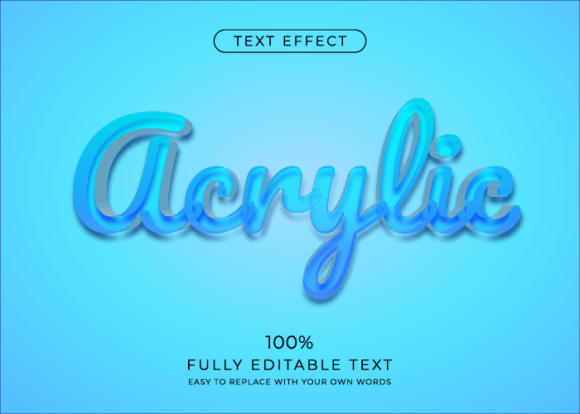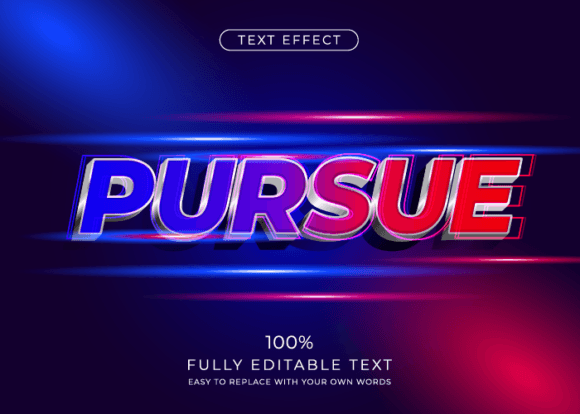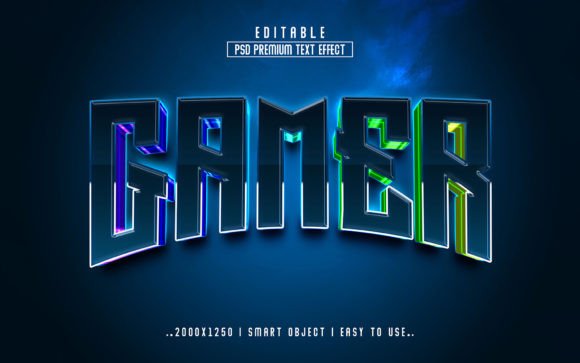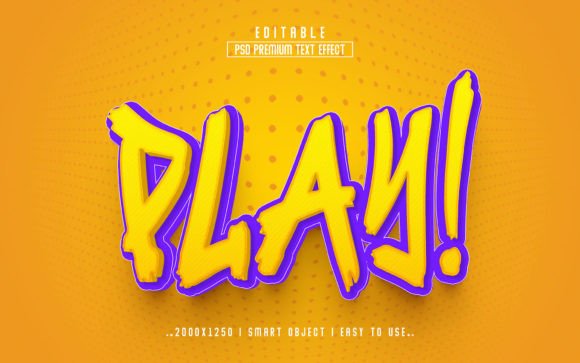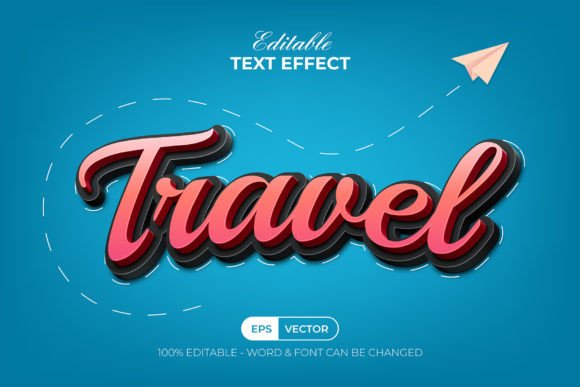
Travel 3D Editable Text Effect Guide
Visual storytelling in the travel industry relies heavily on capturing a sense of movement, depth, and adventure. When you are designing a brochure for a tropical getaway or a social media post about a mountain trek, flat typography often fails to convey the excitement of the journey. This is where a Travel 3D Editable Text Effect becomes an invaluable asset. Unlike standard fonts that simply provide letterforms, this specific design resource acts as a dynamic styling engine within Adobe Illustrator. It allows designers to apply complex, three-dimensional textures and lighting to their words instantly, transforming simple captions into eye-catching headlines that pop off the screen.
Understanding the distinction between a font and a graphic style effect is crucial for anyone looking to streamline their workflow. A font gives you the shape of the letters, but it does not dictate how those letters interact with light, shadow, or texture. The Travel Text Effect 3D Style is a collection of pre-configured graphic styles. Once loaded into your software, these styles sit ready in your menu, waiting to be applied to any text object or shape you create. This means you are not locked into a specific typeface; you retain 100% control over the font choice while borrowing the sophisticated 3D rendering capabilities of the effect pack.
Why Different Creators Value This Tool
The utility of a Travel 3D Editable Text Effect varies significantly depending on who is holding the mouse. For a seasoned graphic designer working at a marketing agency, time is the most expensive commodity. They might value this tool primarily for its speed and reliability. Instead of spending hours manually building extrusions, adjusting gradient meshes, and calculating light sources to achieve a glossy, adventurous look, they can apply a saved style in a single click. This efficiency allows them to meet tight deadlines for travel clients without sacrificing visual quality.
Conversely, a small business owner running a local tour company or a hobbyist blogger might view this resource through the lens of accessibility and professional presentation. These users often lack advanced training in vector illustration techniques. Creating convincing 3D text from scratch requires a steep learning curve involving complex tools like the Appearance Panel and 3D extrude settings. By utilizing a well-organized set of graphic styles, a non-designer can produce work that looks professionally crafted. It bridges the gap between amateur efforts and polished branding, allowing them to compete visually with larger entities.
Educational and Freelance Perspectives
Educators teaching digital design courses often seek resources that demonstrate the power of non-destructive editing. The Travel Text Effect 3D Style serves as an excellent teaching aid because it highlights how graphic styles function. Students can experiment by changing the underlying font or altering the base shape while observing how the effect adapts. This reinforces the concept of flexibility in design workflows. Furthermore, because the files typically include a "Read Me" document and use free fonts, educators can distribute these materials without worrying about licensing costs for their students.
Freelancers, particularly those who specialize in social media management for travel influencers, prioritize versatility. A single campaign might require ten different variations of a headline to test which performs best on Instagram or TikTok. With an editable text effect, the freelancer can swap out "Summer in Bali" for "Winter in Aspen" instantly, knowing the 3D styling will remain consistent. The ability to edit the text while maintaining the intricate 3D structure ensures brand consistency across multiple deliverables, a key factor in retaining long-term clients.
Technical Features and Usability
The core strength of this item lies in its organization and compatibility. Designed for Adobe Illustrator CC and above, the package usually includes both .AI and .EPS files, ensuring broad compatibility across different versions of the software. The layers are well-organized, which is a critical detail for professionals who need to deconstruct the effect to understand how it works or make minor tweaks to the shading and highlights.
One of the most significant advantages is the color mode. These effects are built in RGB, making them ideal for digital applications such as websites, mobile apps, and social media graphics. While CMYK is necessary for print, the vibrant, glowing nature of many 3D travel effects shines brightest on screens. Users should note that while the effect is robust, it is not a font itself. You must have your own text typed out before applying the style. However, since it supports any font installed on your system, the creative possibilities are virtually endless.
- Easy to Edit: Change the wording or swap the font family without breaking the 3D illusion.
- Well Organized: Clean layer structures make it easy to isolate specific elements like shadows or highlights.
- Flexible Application: Apply the style to standard text or custom vector shapes for unique logo designs.
- Inclusive Resources: Often includes free font references and clear instructions for immediate use.
Making the Right Choice for Your Project
Before integrating a Travel 3D Editable Text Effect into your workflow, consider the specific goals of your project. If you are designing a high-resolution billboard for a print campaign, you may need to convert the RGB colors to CMYK and adjust the contrast, as screen-optimized 3D effects can sometimes appear dull in print. However, for digital marketers, bloggers, and content creators, the out-of-the-box RGB vibrancy is perfect.
Beginners should focus on the learning value. Downloading the preview JPEG and the source files allows you to reverse-engineer the look. Try applying the style to different typefaces—serif, sans-serif, and script—to see how the 3D extrusion handles various stroke widths. This experimentation builds intuition about how light and depth interact with typography.
For entrepreneurs and publishers, the decision often comes down to brand alignment. Does the 3D style match the tone of your travel brand? A glossy, neon-infused 3D effect might suit a nightlife tour in Bangkok but could feel out of place for a serene yoga retreat in the mountains. The beauty of an editable system is that you can often tweak the colors within the graphic style to better match your brand palette while keeping the structural 3D integrity.
Ultimately, whether you are a student, a professional, or a business owner, the value of this tool is measured by how much it enhances your ability to communicate. In the competitive travel sector, capturing attention within seconds is vital. Text that leaps off the page with depth and texture invites the viewer to imagine themselves in the destination. By leveraging a pre-made, editable 3D text effect, you remove technical barriers and focus on what matters most: crafting compelling narratives that inspire people to explore the world.